Rebuy companion for Shopify product pages

RecoMelon vs Rebuy: two different moments in the same journey

Rebuy is built to grow the basket once a shopper has decided - smart cart, checkout and post-purchase upsells. RecoMelon is built for the moment before that, on the product page, when a shopper likes what they see but it is not quite right. Many stores run both.

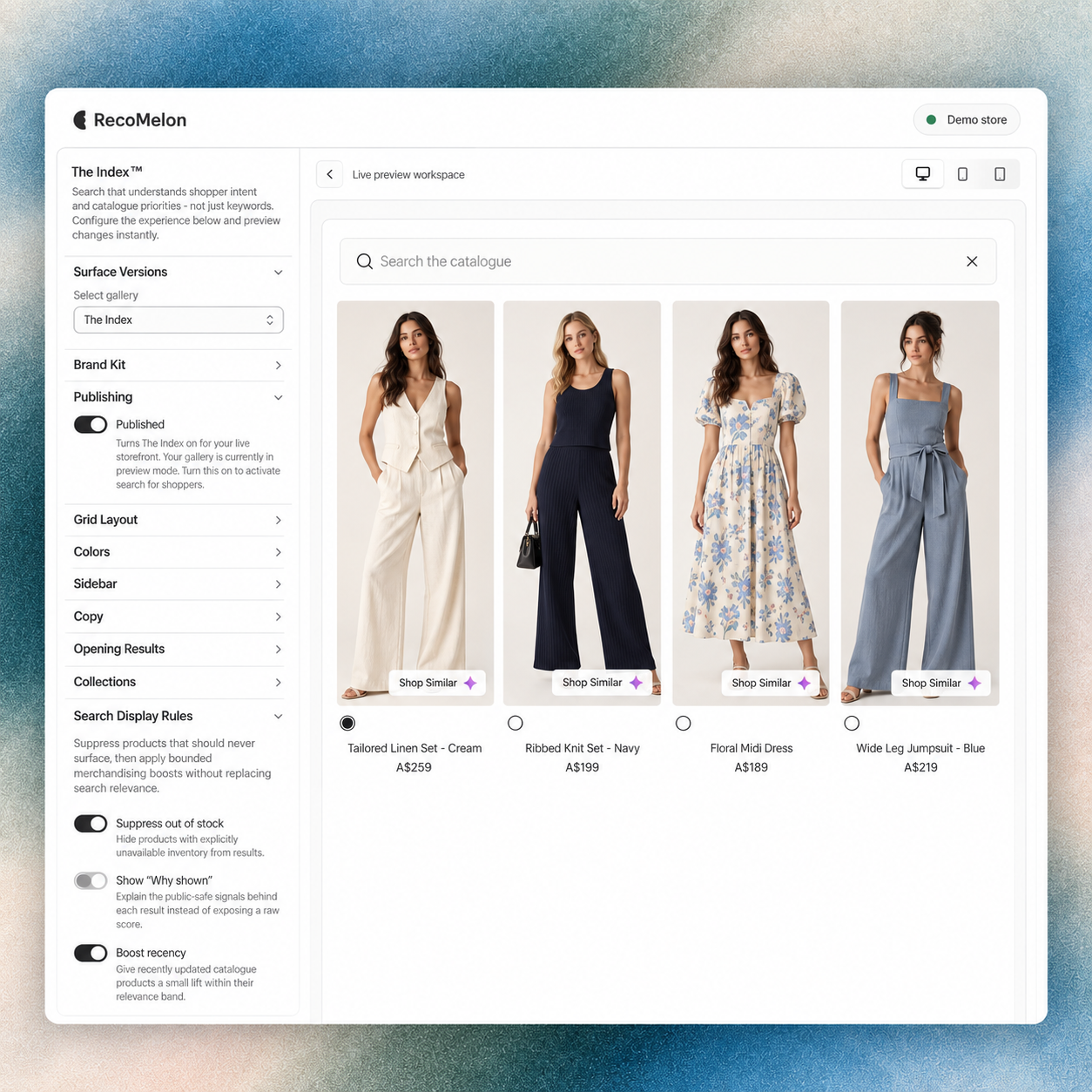
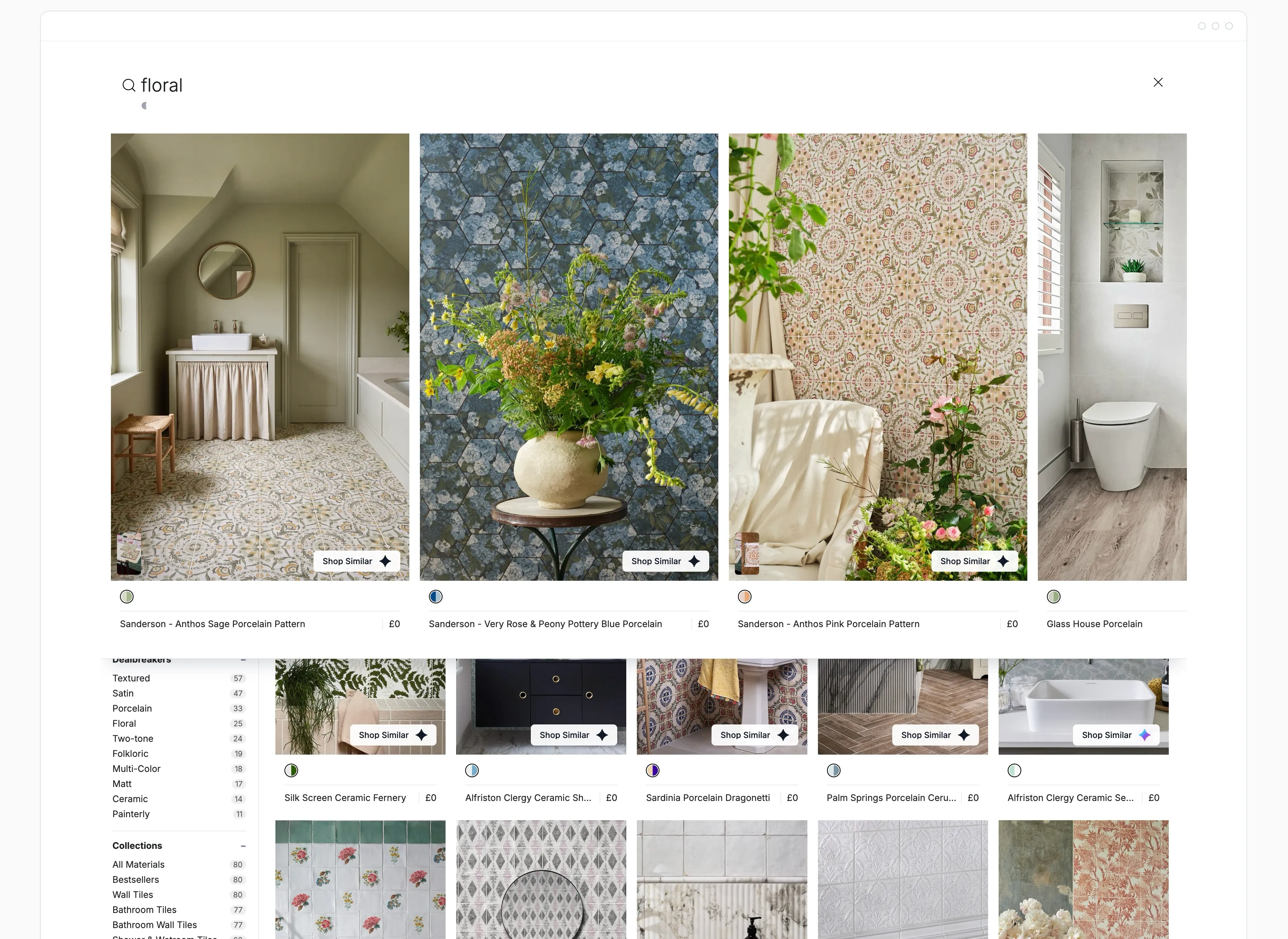
The Index search interface showing a natural language query and matching products

The discovery problem

Separate choosing the product from building the basket.

Cart, checkout and post-purchase offers do their work once a shopper has decided what to buy. Many product-page exits happen earlier: the shopper likes the colour or the cut, but one detail is wrong, and there is no close alternative in view.

Treat those as two different problems. Decide which journeys need help with the first choice and which need help growing the order, then assess each tool against the moment it is built for.

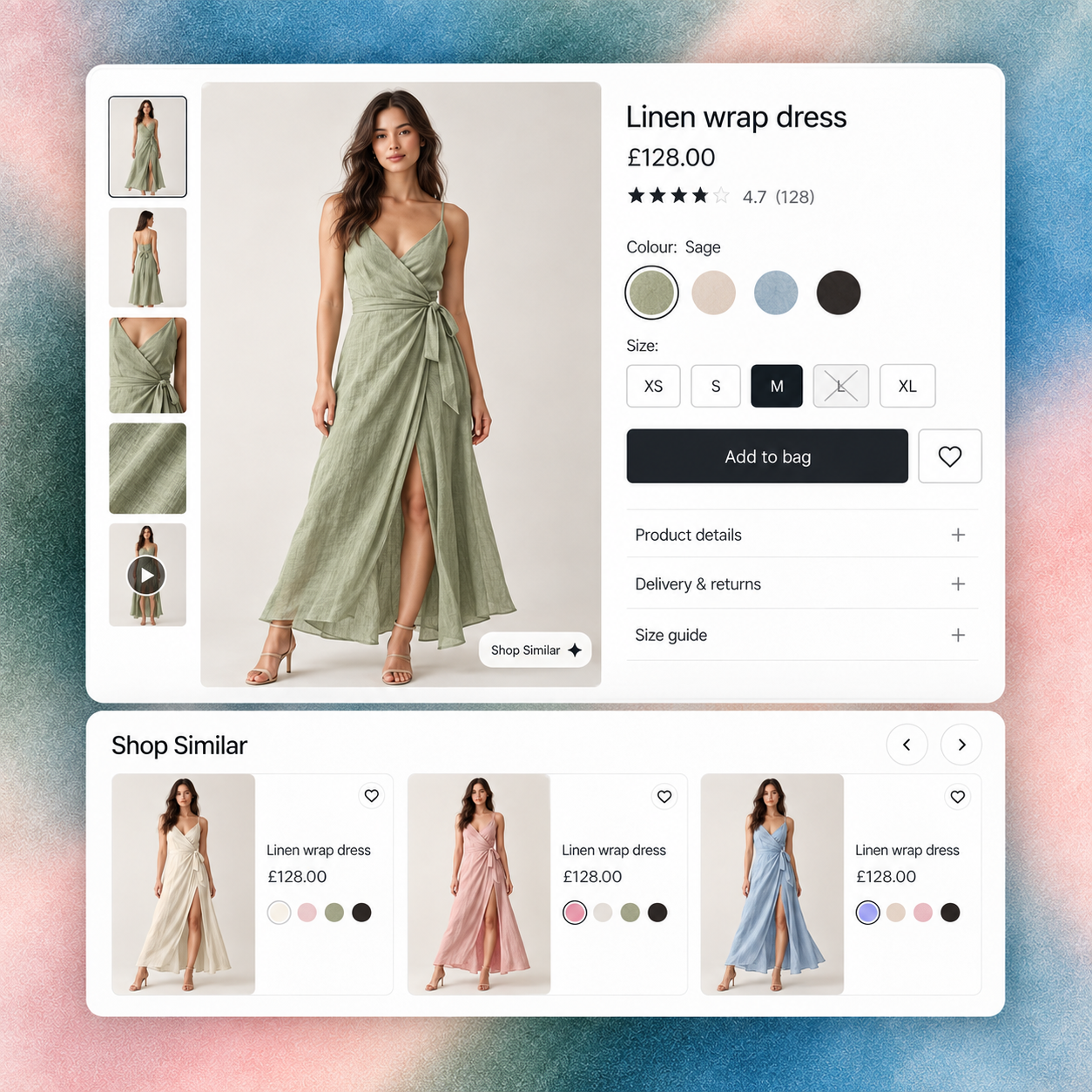
Fashion product page for a sage wrap dress with colour and size choices, an unavailable size and RecoMelon Shop Similar alternatives.

Where RecoMelon fits

Give the almost-right product a nearby alternative.

  • The product-page moment

    Shop Similar and Reveal™ show visually matched alternatives on the product page. Dealbreaker™ Filters let the shopper rule out a sleeve, neckline, finish or colour without leaving the panel.

    Fashion product page for a sage wrap dress with colour and size choices, an unavailable size and RecoMelon Shop Similar alternatives.

  • New and long-tail products

    VisualDNA™ matches from the product image, so new collections can be recommended before they have sales history.

    RecoMelon The Index designer with merchandising controls and a varied fashion assortment preview.

  • The wider journey

    The same visual layer can extend to The Index™ search, Smart Collections and SecondLook™ abandoned-cart alternatives, while basket growth stays with the cart tools already in place.

    RecoMelon natural-language search for soft green spring jackets with product photographs, colour swatches and size filters.

Coexistence and implementation

Give each tool its own placements.

  • Split the surfaces

    Place RecoMelon's Shop Similar on the product page, for example just below Add to Cart, and keep Rebuy in the cart drawer, checkout and post-purchase. Avoid running two recommendation widgets in the same slot.

  • Confirm the setup

    RecoMelon installs from the Shopify App Store through a theme app embed and block. Rebuy is currently installed via rebuyengine.com. A native Rebuy connector is not assumed, so agree which tool owns each placement and how events are attributed before launch.

Evaluation and evidence

Measure each tool against its own baseline.

For the product page, track recommendation clicks, Dealbreaker™ use, rec-influenced orders and rec-influenced AOV against the store's native AOV. For the cart, keep the measures Rebuy is already judged on.

Compare against the period before the change and keep conclusions to the categories and markets tested. Pretty Lavish, for example, reported rec-influenced AOV of £159.18 against a native £126.75 after adding visual galleries to the product page, with no change to checkout.

Where does each one work?

RecoMelon and Rebuy compared

  • Main job: RecoMelon helps the shopper find the right product. Rebuy adds more to the order.
  • Where it shows: RecoMelon - product page, search, collections, 404s, abandoned-cart emails. Rebuy - cart drawer, checkout, post-purchase, product page.
  • How it picks products: RecoMelon uses visual similarity from product images (colour, cut, pattern, finish), refined by shopper filters. Rebuy uses personalisation and merchant rules across the funnel.
  • New products on day one: RecoMelon - yes, matching starts from the image. Rebuy - depends on available behaviour data and rules.
  • Shopper control: RecoMelon's Dealbreaker Filters rule out sleeve, neckline, finish or colour in the panel. Not Rebuy's focus.
  • Strongest categories: RecoMelon - fashion, jewellery, home decor, footwear, furniture. Rebuy - broad, especially replenishment and multi-item baskets.
  • Pricing: RecoMelon Starter $179/mo, Growth $349/mo, Enterprise custom, with a $1/day 30-day trial (as listed 24 Oct 2026). For Rebuy, see Rebuy.
  • Availability: RecoMelon installs from the Shopify App Store. Rebuy is currently installed via rebuyengine.com rather than the Shopify App Store (checked 24 Oct 2026).

Use RecoMelon when

  • Shoppers land on a product they like but bounce because one attribute is wrong.
  • Your catalogue is visual and large, so "related products" from tags or purchase history feels random.
  • New collections drop often and have no sales history yet.

Use Rebuy when

  • Your priority is order value at cart and checkout: bundles, free-shipping nudges, post-purchase offers.

Use both when

The shopper journey has two gaps. RecoMelon closes the first (choosing the product), Rebuy the second (building the basket). Assign each tool its own placements - for example RecoMelon's Shop Similar under Add to Cart, Rebuy in the cart drawer - and measure each against its own baseline.

Proof: Pretty Lavish raised average order value on recommendation-influenced orders from £126.75 to £159.18 after adding visual Shop Similar galleries and Dealbreaker Filters to the product page, with no change to checkout. Read the case study.

Can RecoMelon replace Rebuy?

Not directly. They cover different placements. RecoMelon includes bundles and cart recommendations, but its core is product-page discovery.

Will two recommendation apps conflict?

Not if each owns separate placements. Avoid two widgets in the same slot.

Which one should I install first?

If product pages have high traffic and high bounce, start with RecoMelon. If shoppers convert but buy one item, start with cart upsells.

See Shop Similar on your own product pages

Book a demo and we'll show visual alternatives on your catalogue, running alongside the cart tools you already use.

Book a demo